
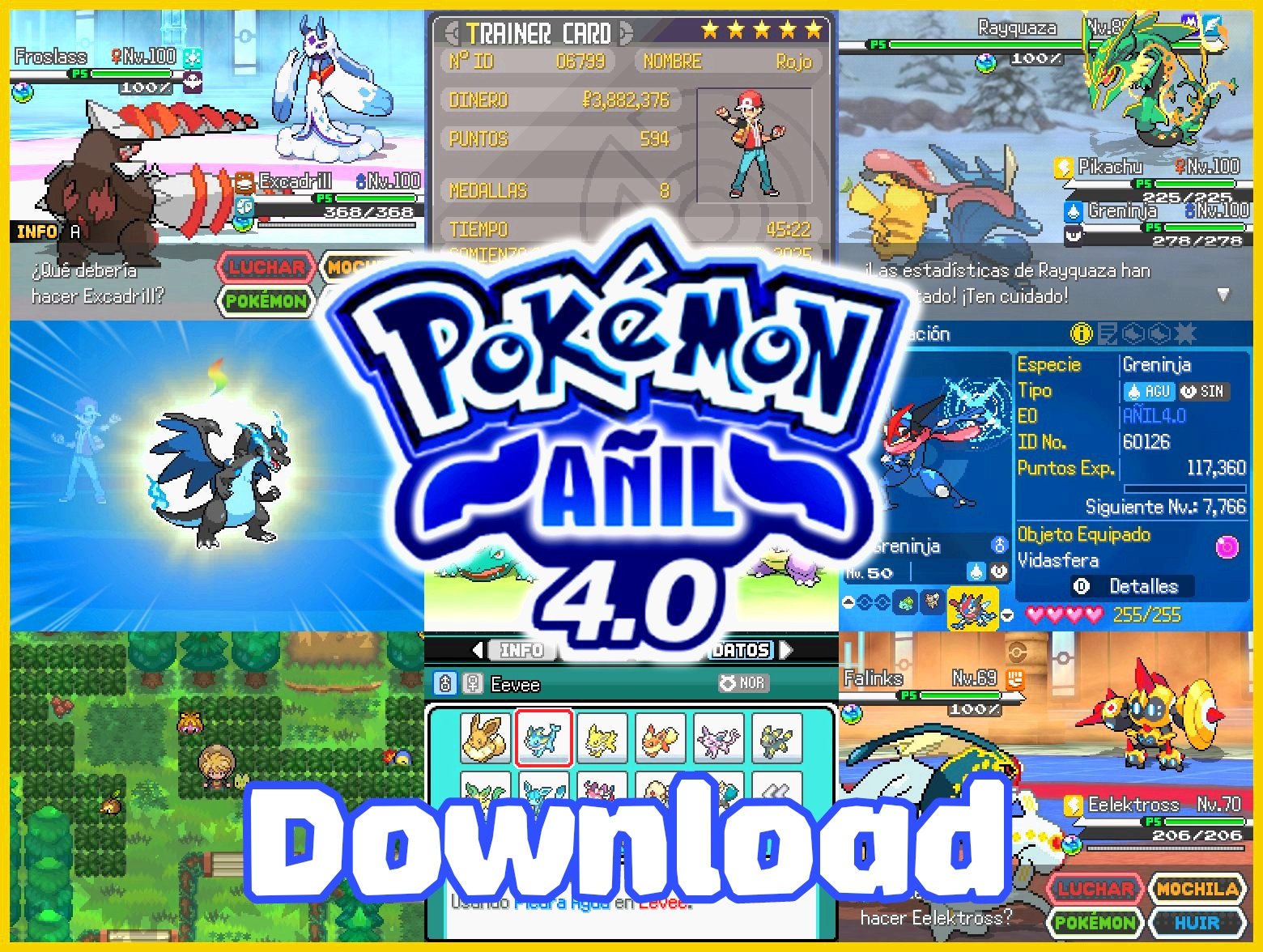
In this post we will guide you about how to download and Play Pokemon In Android using JoiPlay emulator and in pc. This is a guide for you if your facing any issue to play the game then this guide will help you.
Pokemon Anil Information
| Game Name | Pokemon Anil |
| Creator | EricLostie |
| Englsih Translator | osiriswasAcat |
| Genre | RPGXP |
| Region | USA |
| Latest Version | v4.0.3/ v4.0.2 (English) |
| Last Updated | January 14, 2026 |
| Available Language | English & Spanish |
| Status | Full Game with Postgame Content |
You can play Pokemon Anil on Windows by running the .exe file, or on Android using the Joiplay emulator with the RPGXP plugin. Just download the game from the link below.
Pokemon Anil Download
Save Compatibility Notice:
Save files from Pokemon Anil Definitive Edition are fully compatible with Pokemon Anil v4.0. However, save files from Pokemon Anil v3.0 to 3.52 are not compatible, as v4.0 is an improved and updated version based on the Definitive Edition.
| Game Name | Language | Size | Download Links |
|---|---|---|---|
| Pokemon Anil v4.0.3 | Spanish | 602 MB | Mediafire |
| Pokemon Anil v4.0.2 | English | 619 MB | MEDIAFIRE |
Previous Versions
| Game Name | Language | Size | Download Links |
|---|---|---|---|
| Pokemon Anil v4.0.2 | Spanish | 602 MB | Mediafire |
| Pokemon Anil: DE (v1.0.23) | English | 573 MB | MEDIAFIRE |
| Pokemon Anil v4.0.1 | Spanish | 596 MB | Mediafire |
| Pokemon Anil v4.0 | Spanish | 596 MB | Mediafire |
| Pokemon Anil v3.52 | Spanish | 351.3 MB | Mega |
| Pokemon Anil v3.06 | English | 364.3 MB | Mediafire |
| Pokemon Anil v3.06 | Spanish | 362.7 MB | Mega |
| Pokemon Anil v1.12 | English | 342.2 MB | Mediafire |
What’s New in Version 4.0.2 (English Version)
I’m excited to share the English Translation for Pokémon Indigo/Añil Version 4.0.2! This release brings the game up to date with the latest content, including all Pokémon and the new Mega Evolutions introduced in Pokémon Legends Z-A and its DLC.
While I call it a translation, this is actually closer to a localization. Many lines and characters have been updated to align closer to English canon and style rather than a direct literal translation.
Changes
- Graphics: Graphical elements have been redone, so even the title screen logo is in English!
- UI Fixes: The new plugin system made some text difficult to access, but I found a workaround. The UI should be fully English now, but please let us know if anything is missing or if there are any typos.
- Note: The auto-update feature has been disabled for the English Translation Mod. Please check the pinned post on this subreddit for the latest version of the translation.
- Note 2: Debug Mode is not supported and is mainly included for translators and people that need to find things (due to our current lack of English documentation). Please do not report issues related to Debug Mode.
Updates
- Update 1: A folder with patches to enable and disable the F9 Debug Menu has been added!
- Update 2: Fixed an issue where receiving certain items caused a crash. Redownload if you were experiencing crashes.
- Update 3: Translated the Poké Radar.
- Update 4: Added custom covers for Steam featuring Mewtwo! Also fixed the evolution method text in the Pokédex Data page.
- Update 5: Fixed the Held Item Summary Screen and the Poké Vial text.
- Update 6: Translated Move Forgotten text and fixed some graphics.
- Update 7: Editing has been disabled for the Debug Mode Patch to respect developer intent.
- Update 8: Translated condensed Type icons.
- Update 9: Translated Don Prodigio.
- Update 10: Fixed the Poké Vial, some mistranslated text, the summary screen graphic, and the Game Corner. Have fun gambling!
- Update 11: Fixed Red and Blue Orb names.
- Update 12: Fixed more item names.
- Update 13: Revised Route names. They now align closer to canon.
- Update 14: Fixed confusion dialogue.
- Update 15: Fixed and tweaked some lines, fixed a name, translated the Pokémon Z promotional graphic.
This release is a collaboration with u/osiriswasAcat, who is the main translator behind this project.
PS. If you experience any crashes that mention Translation_Patches in their error message, please report them here.
What’s New in Version 4.0.3
- A very easy-to-apply fix has been added for those experiencing slow dialogue boxes. You’ll find it in the game folder.
Also Check Out: Pokemon Anil Full Changelog English & Spanish
How to install Pokmeon Anil
in Windows
Step 1:
Download the game files.
Step 2:
Extract the files you downloaded using a tool like 7-Zip or any other extractor you prefer.
Step 3:
Once extracted, open the folder and double-click the Game.exe file.
Step 4:
The game will start. Enjoy!
That’s it! You can now play Pokemon Anil on your Windows PC.
in Android
Step 1:
Download the Game
Step 2:
Extract the Downloaded Game Files
Step 3:
Install Required Apps (Joiplay & Rpgxp Plugin to run the game)
Step 4:
Open Joiplay, tap the “+” icon, and select “Add Game.”
Step 5:
Navigate to the game folder and select Game.exe.
Step 5:
Start the game and have fun!
Points to Note Before Downloading Pokemon Anil
Pokemon Anil is completely free for everyone. It was created by a Pokemon fan, Ericlostie, for other Pokemon fans to enjoy a fresh Kanto experience. The game is not designed to make any money—it’s a passion project for the franchise we all grew up loving. Please note that Nintendo, Gamefreak, or the Pokemon Company are not involved in the creation of this game. It is not an official release, just a fan-made game for enjoyment.
If you have paid for this game, please report the seller immediately and try to get a refund. This game is free to download, and no one should be charging for it. Be sure to warn your friends and fellow fans about this, so they don’t fall for any similar scams.
Conclusion
We hope you’ve successfully installed the game and are enjoying it without any problems. If you’ve encountered any issues, don’t hesitate to reach out to the creator on their X/Twitter page. Also, if you know anyone who’d love to play the game, be sure to share this post with them!